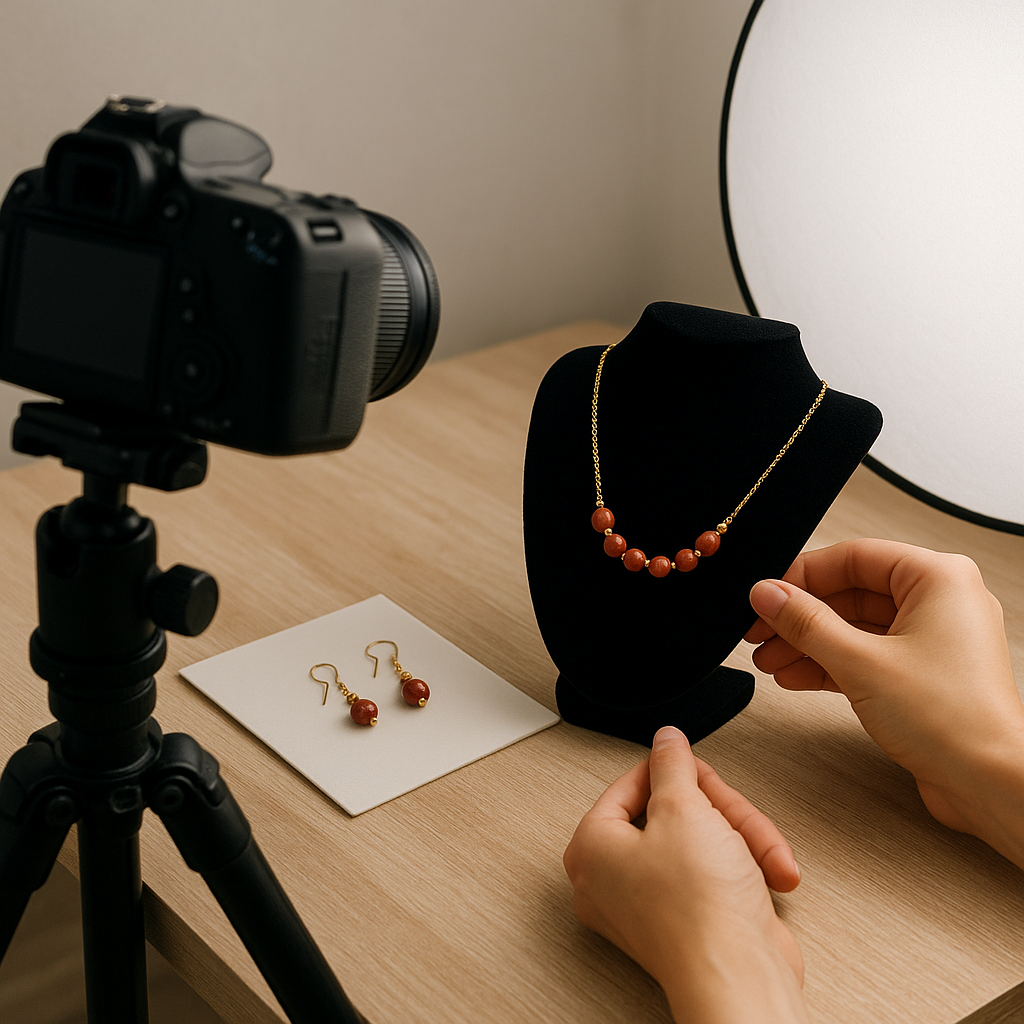
Handmade jewelry is intimate, tactile, and full of character. Translating that character into photographs is both a craft and a sales strategy: compelling visuals build trust, reduce returns, and help customers imagine how a piece will feel in their hands or sparkle on their skin. With a small, thoughtful setup and a repeatable workflow, you can make images that honor the hours you invest at the bench, communicate value, and set your shop apart.
Why great photos sell handmade jewelry
When shoppers can’t touch or try an item, photos become the product. Clear, believable images answer essential questions: How big is the pendant? Is the finish matte or mirror? Will these earrings read bold or delicate from across the room? Crisp, well-lit photos communicate quality and professionalism, which in turn justify price and shorten the time from discovery to purchase. Good photos also reduce uncertainty, a leading cause of cart abandonment and returns.
Beyond clarity, your images tell a story—craftsmanship, sourcing, ethics, or inspiration. A hammered texture, a hand-sawn silhouette, or a reclaimed stone can be highlighted to differentiate your pieces in saturated marketplaces. Every frame is a micro-pitch for your brand: the mood, the palette, the presence of hands or tools, even the way you show packaging can influence how customers feel about buying from a maker rather than a mass brand.
Plan your shoot: story, audience, and shot list
Define the story
Decide what each collection stands for: modern minimal, heirloom revival, playful color, or rugged, gender-neutral adornment. That story informs props, surfaces, and models.
Know your customer
Are they looking for everyday pieces under strong office lights, or editorial-ready statement jewelry for evening? This affects your lighting contrast, color palette, and how bold or quiet your compositions should be.
Create a practical shot list
- Hero image (the main listing photo)
- Front, side, and back views
- Detail macro (texture, prongs, clasp)
- Scale reference (ruler, coin, on model)
- Lifestyle context (outfit, environment)
- Packaging (box, pouch, care card)
A shot list prevents missed angles and keeps sessions efficient. For each design, note special features to emphasize: a unique closure, a hidden engraving, or hand-formed ear wires.
Essential gear on any budget
Core items
- Stable table on which you can clamp backgrounds and lights
- Tripod with a center column that can swing horizontal for flat lays
- Remote shutter or self-timer to prevent camera shake
- LED panels or lamps with consistent color temperature (5000–5600K)
- Diffusion: softbox, umbrella, or a white bedsheet for budget setups
- Reflectors: white foam board, silver card, or even a kitchen foil board
- Black cards/flags to add contrast and define edges on shiny metal
- Cleaning kit: microfiber cloths, cotton gloves, rocket blower, putty/wax
- Background surfaces: vinyl, acrylic, stone slabs, fabric
Camera options
- Smartphone with a recent camera, manual controls app, and a small tripod clamp
- Mirrorless/DSLR with a 50–105mm lens; a dedicated macro lens is a plus
- Extension tubes or close-up filters if you don’t have a macro lens
If you can, choose lights with high CRI (95+), which help preserve accurate color and subtle textures.
Mastering light for metal and gemstones
Jewelry is reflective. That means you aren’t really lighting the object—you’re lighting what the object reflects. Soften and enlarge your light source so it wraps around curves and minimizes harsh hotspots. A light tent is effective, but you can also position an LED panel behind a diffusion sheet to create a broad, soft source.
Place your main light 45 degrees to the side and slightly above the piece. Add a white card opposite the light to lift shadows. If the metal looks flat, introduce a narrow strip of black card to create a dark edge that reveals shape. For gemstones, angle the light to create lively specular highlights that show facets without blowing out detail. Use a small mirror to bounce a kiss of light into gemstones to enhance brilliance.
Consider a gradient backdrop created by placing your piece on a white sweep and aiming the light so it falls off from bright to soft gray toward the back; this adds depth and a premium look. For very reflective items (mirror-polished silver, black onyx), try polarizing techniques: a circular polarizer on the lens can tame glare; pairing it with polarized film on your lights (cross-polarization) can dramatically reduce reflections while preserving color.
Backgrounds and surfaces that support the piece
Your background should serve the jewelry, not compete with it. Neutral tones—white, light gray, charcoal—keep attention on shape and finish. Natural surfaces like linen or matte stone can add warmth and story but should be subtle and consistent across a collection. Reserve bold textures or colors for lifestyle shots and keep the hero image simple for marketplaces that favor clean thumbnails.
For pure white requirements (e.g., certain marketplaces), shoot on white and preserve a contact shadow so the piece doesn’t look cut-and-pasted. If you must remove the background in post, rebuild a natural shadow underneath to maintain realism. Black acrylic can produce elegant mirror reflections for high-end collections; watch for dust and fingerprints, and use a rocket blower frequently.
Camera settings, focus, and practical sharpness
Use base ISO (100–200) to maximize detail. Shoot in aperture priority or manual at f/8–f/16 to balance depth of field with diffraction. If your subject has significant depth (a tall ring or layered pendant), take several frames focused at different planes for later stacking. Keep shutter speed slow on a tripod—no problem if the subject is still.
Focus on the most important plane (often the nearest edge of a gemstone or a prominent engraving). For earrings or necklaces, focus where the eye will land first in a thumbnail. If your camera allows, use focus peaking or magnified live view. Aim for crisp sharpness without oversharpening; sharpening should be a subtle, final step to avoid halos and noise.
Macro and detail techniques
Detail sells craftsmanship. A dedicated macro lens (90–105mm) provides 1:1 reproduction and flattering working distance. If that’s not available, extension tubes on a 50mm lens can get you close for small items like stud earrings. Remember that depth of field becomes razor thin at close distances; stabilize the setup, stop down appropriately, and consider focus stacking for perfect clarity across the subject.
Use ring stands, wax, or museum putty to position pieces invisibly. Fishing line can suspend pendants; later, you can edit out the line. Keep a soft brush handy to remove dust; tiny specks become glaring at macro magnifications.
Color accuracy and white balance
Customers return items when the color on screen doesn’t match what arrives. Set white balance manually (use a gray card or custom Kelvin setting) and keep lighting consistent throughout a session. For gemstones, color fidelity is particularly important; a lab-grown emerald that looks teal online will disappoint if it arrives true green. If possible, calibrate your monitor and work in the sRGB color space for web consistency.
Use a color checker at the start of each shoot. One reference frame lets you build a repeatable profile for your lighting and camera combination. This matters even more for subtle finishes like brushed brass or patinated copper, where hue and saturation can shift with small lighting changes.
Composition and styling
Simple, readable composition wins in crowded grids. Centered symmetry works well for pairs (studs, hoops), while the rule of thirds can add energy to asymmetrical pieces. Leave sufficient negative space for thumbnails to breathe and for marketplaces that crop images in search results.
Angle matters. A 45-degree three-quarters view often shows thickness, face, and side detail simultaneously. Flat lays are great for sets and layering suggestions. For necklaces, show the pendant on a bust or a clean curve to avoid tangles and to communicate how it hangs. For rings, show profile and top views; a slim band’s elegance often resides in its side silhouette.
When adding props, keep them minimal and relevant to the brand story: a marble tile for luxury, linen for organic simplicity, a woodworking tool for rustic craft. Avoid anything that could scratch metal or shed fibers. Keep props out of the hero shot or push them well out of focus so the jewelry remains the star.
Showing scale, fit, and movement
Scale is one of the biggest friction points for online jewelry shoppers. Include at least one frame with a ruler, coin, or a hand for reference. Even better, show the piece on a model. Clean, well-groomed hands and neutral nails keep attention on the product; avoid heavily patterned clothing that steals focus. For earrings, show front and side views to communicate hang length and motion. A short video clip or GIF can demonstrate sparkle and sway more effectively than a still.
Consistency and brand cohesion
Strive for visual consistency across your listings: same angles, similar lighting contrast, and cohesive backgrounds. This builds buyer trust and makes your storefront feel curated. Develop a style guide: light direction, camera height, focal length, and crop ratios. Save lighting setups by marking distances and positions with tape on your table or floor. Template your hero shot so customers recognize your work instantly in search results.
Consider subtle cues of branding: a signature surface, a specific tone of gray, or a recurring prop (like your custom stamp or packaging ribbon) used sparingly. The goal is recognition without distraction.
Workflow: from setup to export
Preparation
- Polish pieces and handle with gloves to avoid fingerprints
- Assemble stands, wax, and cleaning tools within arm’s reach
- Set white balance and test exposures with one sample piece
- Confirm crops and framing with a tethered preview if possible
Shooting
- Start with the hero shot to set the standard
- Shoot variations: front, side, back, detail, scale, lifestyle
- Bracket exposure if highlights are tricky (±1 stop)
- Capture a short motion clip for platforms that support video
Post-processing and export
Non-destructive editing keeps your originals safe. In your raw processor, set white balance, correct exposure, add gentle contrast, and apply lens corrections. Use spot removal for dust and fibers, and a subtle clarity or texture adjustment to bring out finishes like hammering or matte brushing. For background cleanup, use masks to brighten the surface without affecting the metal. Keep retouching honest: remove dust and wax, but don’t change stone color or erase tool marks that define your craftsmanship.
Export web-ready JPEGs in sRGB at 2000–3000 pixels on the long side for crisp zooms without bloated load times. Name files descriptively (e.g., “sterling-silver-hammered-hoop-earrings-front.jpg”) and maintain a logical sequence for each listing.
SEO, captions, and accessibility
Write alt text that describes the piece and view: “14k gold teardrop pendant on model, close-up showing hammered texture.” Include materials, size, and unique features in captions and product descriptions. These details help search engines and screen reader users alike. Avoid keyword stuffing; clarity and accuracy are the priority.
Platform requirements and variations
Different marketplaces favor different looks. Etsy accommodates lifestyle imagery and textured backgrounds; keep the first image clean and centered for readability in search. Amazon Handmade often requires a pure white background for the main image; plan lighting to minimize shadow cleanup. Your own site via Shopify or similar gives you flexibility—use a consistent hero style plus narrative lifestyle images for banners and lookbooks. Always check current image size recommendations; higher-resolution files future-proof your listings for zoom features.
Common problems and quick fixes
- Harsh reflections on polished metal: increase diffusion, move light source larger/closer, add black flags to define edges.
- Gemstones look dull: angle lights to catch facets; add a small mirror or a focused accent light.
- Color shift between images: lock white balance and use the same lights; use a gray card for every session.
- Soft images: use a tripod and remote; stop down to f/11; check for camera shake; ensure focus point is on the key feature.
- Dust everywhere: clean set between shots; use a blower, lint roller, and keep a clean storage tray for each piece.
- Floating look on white: add or rebuild a soft contact shadow under the piece.
- Uneven earrings: align carefully with a grid; use a spirit level and measure distances to the lens.
DIY studio solutions
A cardboard box becomes a light tent: cut windows and tape white paper or fabric over them to diffuse light. A roll of white craft paper makes a seamless sweep; clamp it to a chair back and let it curve onto the table. Foam boards serve as both reflectors and walls to control stray reflections. Use painter’s tape and low-tack putty to position jewelry without residue. For flat lays, mount the camera overhead with a boom arm or an inexpensive C-stand alternative using a sturdy shelf bracket and clamps.
Advanced techniques: stacking, polarization, and 360
Focus stacking: lock the camera on a tripod, switch to manual focus, and capture a series from front to back. Merge in software to achieve edge-to-edge clarity without using a very small aperture that softens detail. Cross-polarization: place polarizing film on your lights and a circular polarizer on the lens; rotate to control glare on stones and glossy metal while preserving saturation. 360 spins: mount jewelry on a small turntable and capture frames at equal increments; software or some storefronts build an interactive spin, increasing engagement and time on page.
Working with models
Choose models whose look aligns with your brand. Neutral makeup and simple wardrobes keep focus on the jewelry. Coordinate skin tone with metal and stone colors; warm skin complements yellow gold, while cool tones are flattered by silver and white gold. Pay attention to the condition of nails and hair to avoid post-production headaches. Provide clear posing direction: for rings, angle hands slightly to avoid foreshortening; for necklaces, ask the model to roll shoulders back to show chain lay and pendant position.
Care and handling during shoots
Jewelry can be delicate. Avoid solvents that may damage finishes or adhesives. For pearls and porous stones (turquoise, opal), keep them away from sprays and excessive heat. Use cotton gloves to handle polished gold and silver, and store each piece in a labeled tray to prevent mix-ups and scuffs. After shooting, wipe away wax or putty residue immediately to prevent long-term buildup.
Pricing perception and visual cues
Visuals signal price. Clean, minimal setups with confident lighting, precise angles, and impeccable finishing suggest premium value. Busy, inconsistent photos can make even the most carefully made piece look casual or low-cost. If you’re raising prices, elevate your presentation: consistent lighting, refined surfaces, and a small set of lifestyle shots that place pieces in aspirational settings.
Story, ethics, and transparency
Handicraft buyers care about process and sourcing. Include a frame with your tools, bench texture, or raw materials to anchor your story in authenticity. Show recycled metals, fair-mined stamps, or local stone sources where relevant, and use captions to explain what makes these choices meaningful. Visual transparency supports written claims and builds long-term trust.
Maintaining a reusable kit
Create a labeled box for your photo tools: microfiber cloths, blower, gloves, stands, wax, fishing line, tweezers, reflectors, and black cards. Keep a diagram of your preferred lighting setup with distances noted. Having a “photo-ready” kit means you can shoot new pieces quickly, keeping your shop refreshed and benefiting search algorithms that favor frequent updates.
Scaling up: batching and templates
Batch similar pieces to minimize changes. Shoot all hero images first, then rotate through angles, details, and scale shots. Use a tethered laptop or tablet to verify critical focus and framing in real time. Build preset templates for crops and web exports so every listing remains cohesive and quick to publish. Over time, this efficiency can save hours and reduce burnout during busy seasons.
Checklists you can copy
Pre-shoot
- Clean jewelry; prep stands and wax
- Set white balance with a gray card
- Test exposure and check for reflections
- Confirm shot list and order
During shoot
- Wipe fingerprints between frames
- Check focus at 100% zoom periodically
- Capture scale and clasp detail
- Record a short motion clip if useful
Post-shoot
- Apply consistent edits and profiles
- Retouch dust; preserve true materials
- Export sRGB JPEGs at consistent sizes
- Write alt text and optimize filenames
Troubleshooting reflective challenges
If you see the camera reflected in a highly polished piece, build a “tunnel” of white foam boards around the lens so the object reflects white instead of your gear. Cut a small hole for the lens to peek through. For difficult curved surfaces, move lights farther and larger (relative to the subject) to smooth reflections; adjust the angle by millimeters and watch the change. Sometimes the best fix is tiny: raising the front of a ring by a few degrees can remove a distracting hotspot.
Ethical retouching and disclosures
Retouching should enhance clarity, not mislead. Don’t thin bands, enlarge stones, or erase characteristic tool marks if they’re part of the design. If you use props like tape or wax during shooting, remove their traces in post, and disclose any significant adjustments (such as darkening a background) if relevant to customer expectations on a platform that requires it. Transparency keeps trust intact, especially for higher-ticket items or custom orders.
When to upgrade gear
Start with what you have, then upgrade strategically. If your images are noisy or blurry, prioritize a tripod and better lighting before a new camera. If close focus is limiting, invest in a macro lens or extension tubes. If color consistency is the challenge, buy a gray card and consider a monitor calibrator. Each incremental improvement compounds in the final result.
Final thoughts
Photographing handmade jewelry is a conversation between your craft and your customer. With patient setup, thoughtful design choices, and a reliable workflow, your photos can reveal the nuance of a satin finish, the life of a gemstone, and the intention behind every solder and polish. Treat your photos as extensions of your making practice: precise, honest, and beautifully simple. The payoff is not only more clicks and sales, but a gallery of images that respect your time, your materials, and the people who will wear your work.
